 https://modsyncx-muzzy-studios.netlify.app/docs/
 Join our Discord
# ModSyncX TextUI & Notify System
A modern, feature-rich notification and text UI system for FiveM with automatic framework detection and extensive customization options.
## Features
### Automatic Framework Detection
- **QBCore Support** - Full compatibility with QBCore framework
- **ESX Support** - Seamless integration with ESX Legacy
- **Standalone Mode** - Works without any framework
- Automatic detection on resource startup
- Manual framework override option available
### Notify System
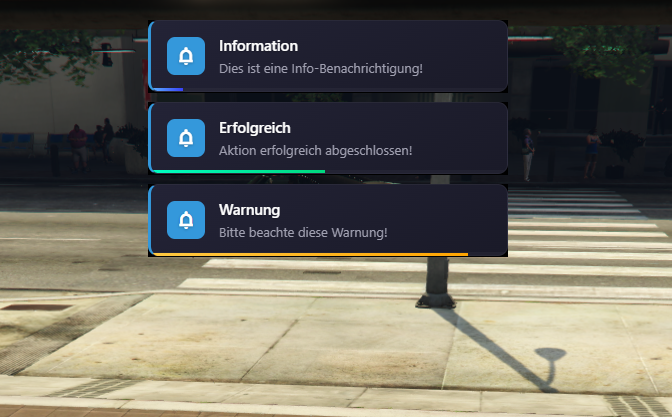
- **5 Notification Types:**
- Info (Blue)
- Success (Green)
- Warning (Orange)
- Error (Red)
- Default (White)
- Custom colors and icons
- Progress bar with auto-dismiss
- Draggable notification container
- Multiple position options:
- Top Left, Top Right, Top Middle
- Bottom Left, Bottom Right, Bottom Middle
- Center
### TextUI System
- Floating text notifications
- Multiple animation types (slide, fade, pop)
- Custom colors, fonts, and sizes
- Dismissible with close button
- Auto-hide with configurable duration
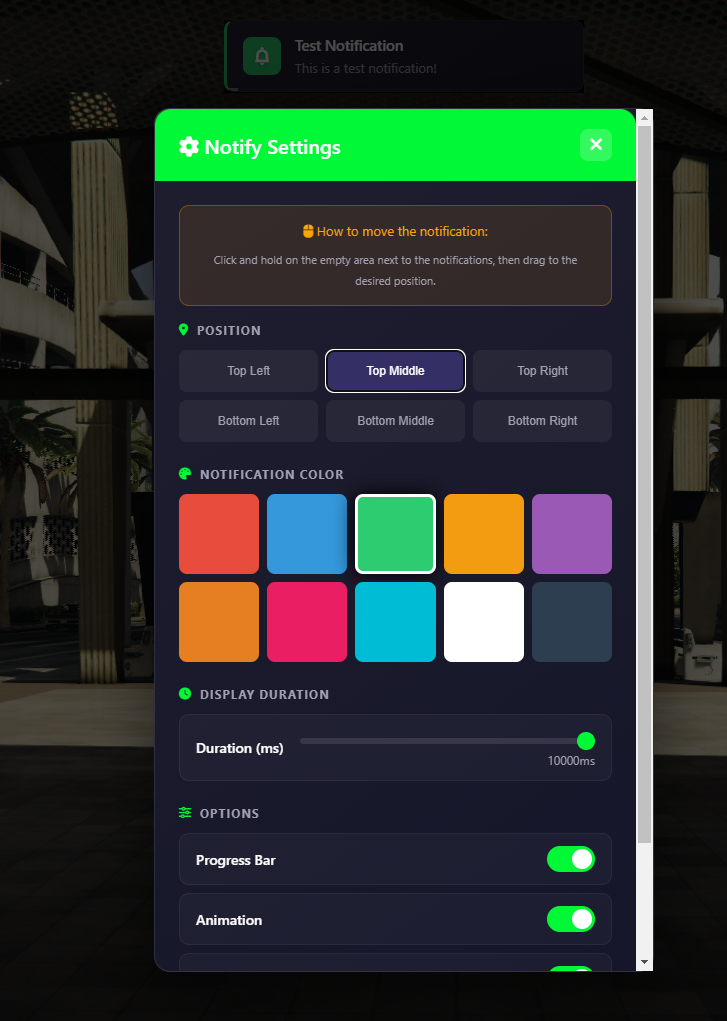
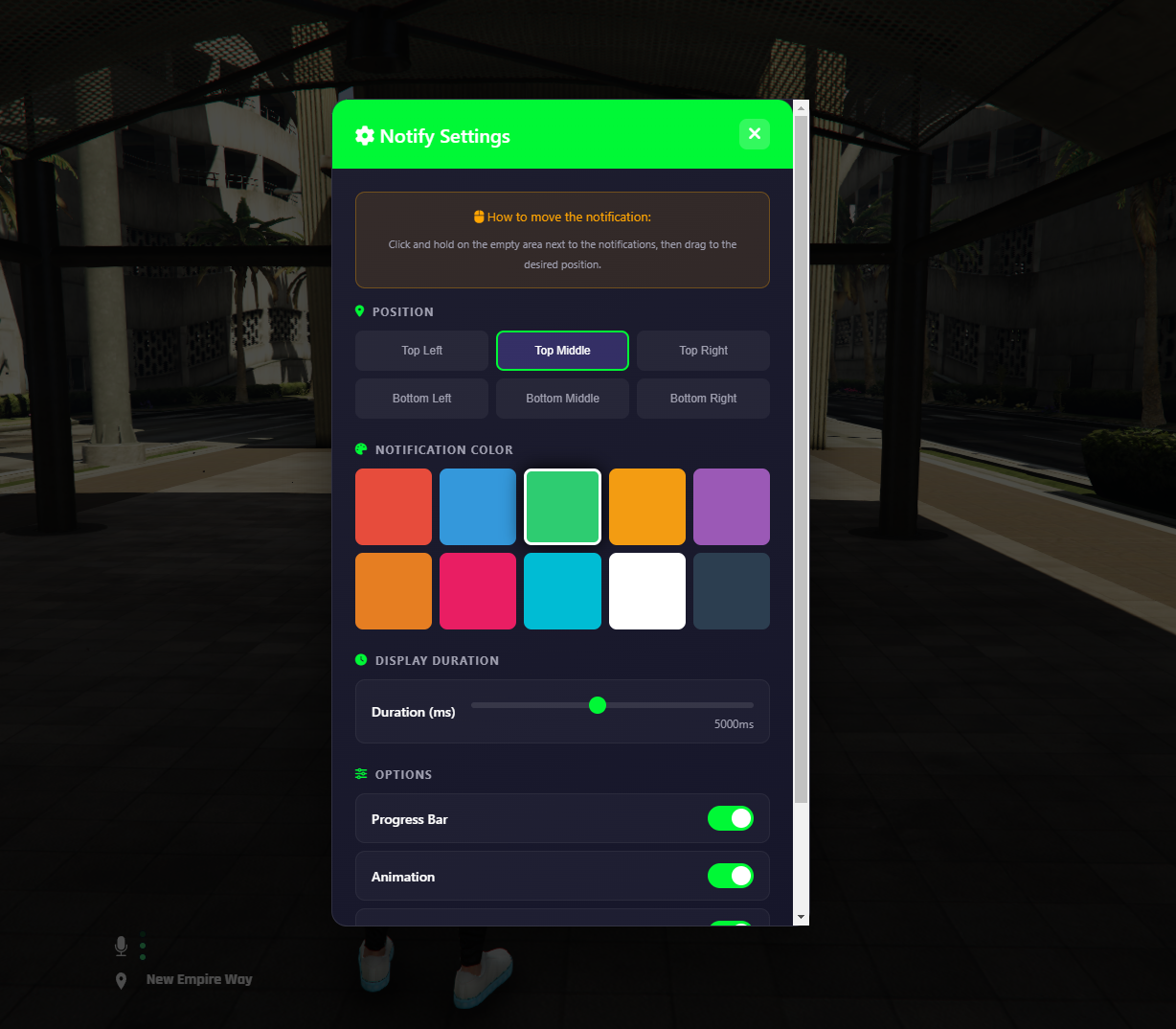
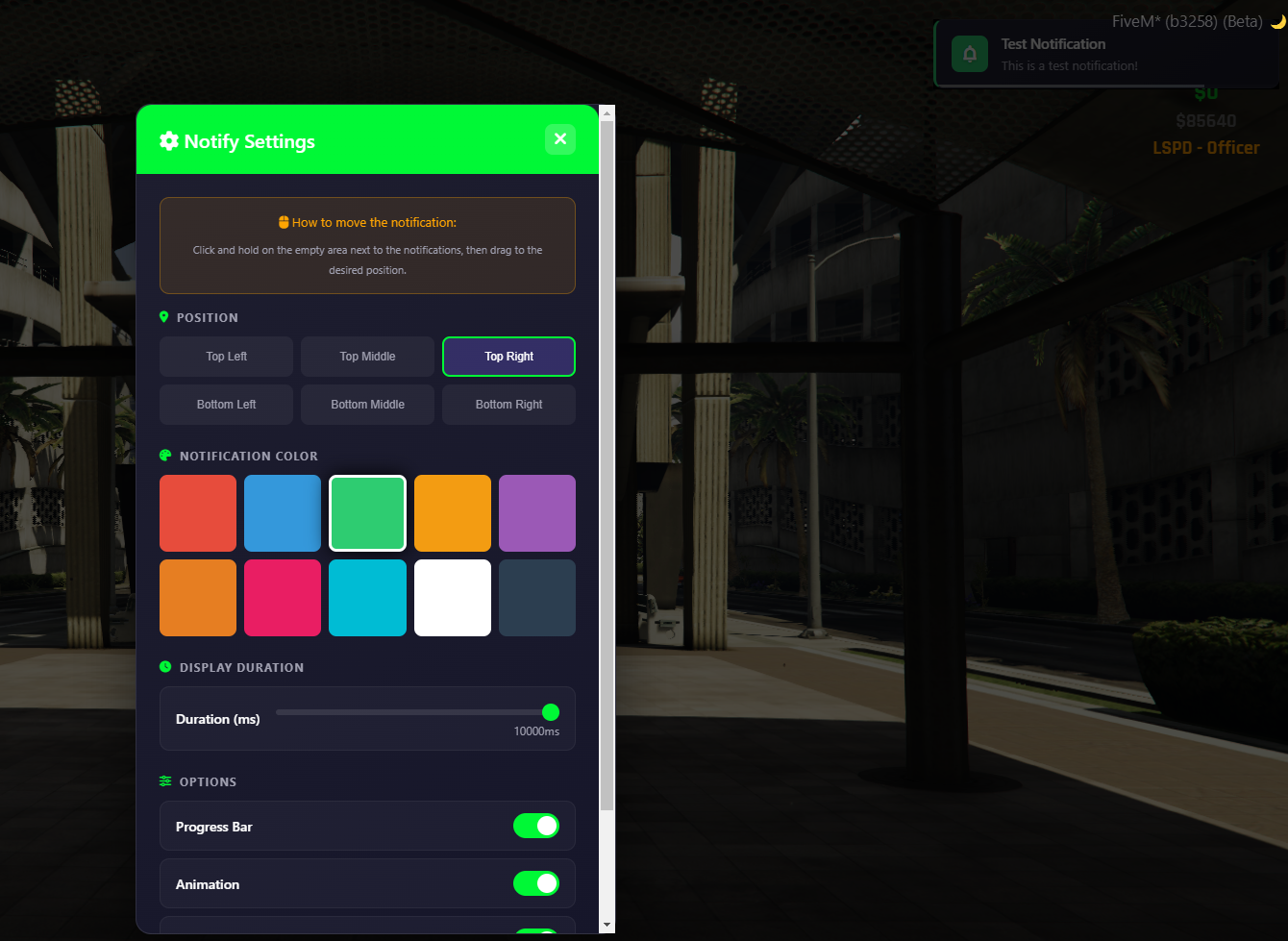
### Settings Interface
- In-game settings menu
- Real-time position preview
- Color customization
- Duration slider (1-10 seconds)
- Toggle options for progress bar, animations, and dismissible mode
- Drag & drop positioning
### Design Features
- Modern glassmorphism UI design
- Smooth animations
- Responsive layout
- Material Symbols icons
- Font Awesome icon support
- Backdrop blur effects
### Multi-Language Support
- German (de)
- English (en)
- French (fr)
- Italian (it)
## Commands
| Command | Description |
|---------|-------------|
| `/notifysettings` | Open settings interface |
| `/notifyreset` | Reset notification position |
## Configuration
Configurable via `shared/config.lua`:
## Credits
ModSyncX
Professional FiveM Development