 https://modsyncx-muzzy-studios.netlify.app/docs/
 Join our Discord
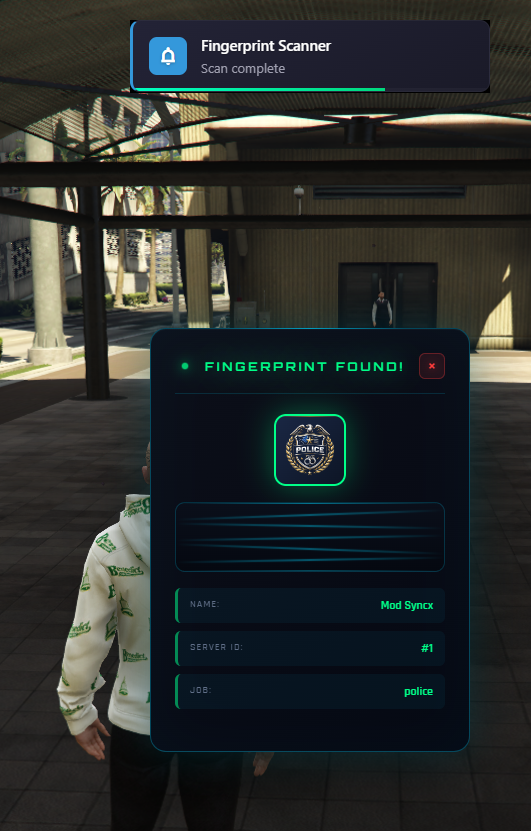
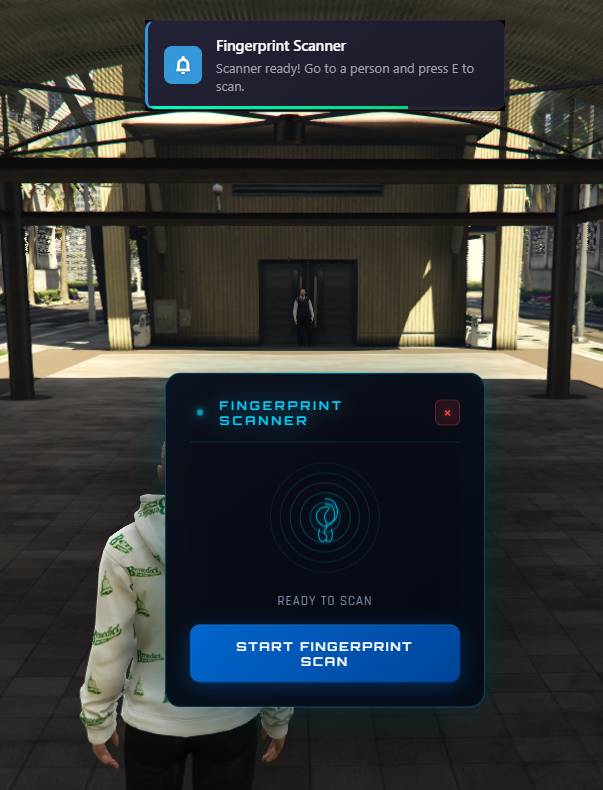
# Fingerprint Scanner - FiveM Script
A professional fingerprint scanning system for FiveM servers with automatic framework detection and inventory system support.
## Features
### Automatic Framework Detection
- **ESX** (Legacy & Extended)
- **QBCore**
- Fully automatic framework detection on server startup
- Manual framework override option in config
### Inventory System Support
- **ox_inventory**
- **qs_inventory**
- **qb_inventory**
- **esx_inventory**
- Automatic inventory system detection
- Custom item registration support
### Notification System
- **ModSyncX Notify** integration (default)
- Compatible with: okokNotify, mythic_notify, esx notifications, qbcore notifications
- Customizable notification duration and position
### Multi-Language Support
- English (en)
- German (de)
- Spanish (es)
- French (fr)
- Italian (it)
### Modern UI
- Sci-Fi/Tech design with cyan (#00d4ff) color scheme
- Animated fingerprint scanning visualization
- Progress bar with glow effects
- Success (green) / Error (red) states
- Responsive design for mobile devices
### Configuration Options
- Customizable scan time
- Cooldown between scans
- Authorized jobs configuration
- UI customization (colors, position)
- Debug mode
### Features
- Fingerprint pattern generation
- Player identification via fingerprint
- Database storage of scanned fingerprints
- Job-based authorization (police, sheriff, fbi)
- Animation support during scanning
## Installation
1. Extract the script to your resources folder
2. Add `ensure ModSyncX_Fingerprint` to your server.cfg
3. Configure authorized jobs in `shared/config.lua`
4. Restart your server
## Configuration
All configuration is done in `shared/config.lua`:
```
lua
Config.Framework = {
autoDetect = true,
forcedFramework = nil -- or 'esx' / 'qbcore'
}
Config.Inventory = {
inventorySystem = 'autoDetect',
itemName = 'fingerprint_scanner'
}
Config.AuthorizedJobs = {
'police',
'sheriff',
'fbi'
}
```
## Usage
### In-Game
1. Obtain the fingerprint scanner item
2. Approach a player
3. Press the interaction key to scan their fingerprint
4. View the results in the UI
### Commands
- Custom commands can be configured for authorized players
## Requirements
- FiveM Server
- One of the supported frameworks (ESX or QBCore)
- One of the supported inventory systems
## Credits
- ModSyncX
- Professional FiveM Development